












Planogram automation for retail execution
Steps to automating planogram creation, understanding compliance, and analyzing performance.
Retailers and suppliers, such as consumer packaged goods (CPG) companies, rely on planograms (POGs), or modulars (MODs), as maps for merchandising retail shelves. These maps provide a 2D or 3D visual of how shelf space is allocated and, layered in with performance data, point to improvements and optimizations for revenue lift at the store-level point of sale (POS).
The terms “planograms” and “modulars” are often used interchangeably by different retailers.
Planograms fall under category management, which determines how categories and merchandise zones (e.g. Chips, Baking, Beverages) are positioned and sized within the store. Floor plans refer to the overall layout of the store – aisles, fixture placements, traffic flow, departments, and major category groupings. And planograms are how assortments are displayed for a category.

Planogram automation vs. manual approach
Traditional planogram processes are highly manual and can involve thousands of files to execute individually. Managing planograms involves creating them, populating them with data, revising them, and ensuring they are accurate and validated by the retailer. Top retailers can require a few thousand store-specific planograms each – all involving variations in size, assortment, days of supply requirements, and case-pack quantities. The complexity required to create and manage these is not only time-consuming – with just 100 planograms entailing over 75 hours of manual work – but can introduce errors, making it difficult to stay compliant, especially as set revisions roll around and tack on additional labor. One problem that arises is when store operations don’t implement what is outlined in the planogram or adhere to certain merchandising principles. When this happens, the space and merchandising teams measure the performance based on inaccurate information, ultimately discovering that what is actually in the store does not align with their findings.
“The complexity of planogram creation can increase the likelihood of errors and slow down validation and approval workflows. Missteps in the process can strain retailer relationships and delay merchandising execution, ultimately putting sales momentum at risk.”
Austin Nutter, Director of Automation Solutions, Crisp – Read More
Planogram automation changes everything. Data can be uploaded to every planogram, wherever the data is needed, all at once. Rules can be set up to automate manual processes, so the processes can be performed accurately and consistently at scale. Items can be swapped out and facings adjusted with changes reflected across all relevant planograms. Brand blocking and shelf sorting strategies can be defined once – and executed across every file. What-if modeling capabilities help teams optimize assortments to be most profitable.
In total, planogram automation saves teams 80% of time spent manually creating and managing planograms, with the added benefit of strategic clarity. Category management teams can spend less time on set-up and updates, and more time on staying competitive and growth-oriented within their respective categories and subcategories.
The big benefits of planogram automation
It’s a new era for category management and planograms. It’s a little unfair to even try to compare manual planograms to their new and improved, next-generation automated counterparts.
Where planogram automation wins
- Efficiency
- Accuracy
- Consistency
- Validation
- Analysis
- Compliance
Time savings and efficiency – The main benefit of using automation tools is time-savings and efficiency. Batch processing quickly cycles through and updates planograms. Tasks that take hours or even days by hand can be completed automatically in minutes, freeing CPG teams to focus on strategy, creativity, and client relationships, instead of data entry.
Accuracy and consistency – Put simply, automation doesn’t make typos. It doesn’t get tired. And it doesn’t get overloaded beyond a pre-set capacity. There’s no miscommunication across roles and methods for getting the task done. Embedded in a technological framework, planogram automation with solutions by Crisp, including Crisp Cantactix software, ensure consistency across retailer and store-specific POGs.
Validation and analysis – Planograms need to be validated and analyzed for accuracy. Automation can perform these tasks quickly, including:
- Illustrating share of shelf
- Creating floating shelves for what-if scenarios
- Serving up reports that compare previous planogram versions to new ones
Compliance – How do you know if a CPG planogram is compliant with its stated goals? Or put another way, how do you know if a planogram ‘on paper’ is working ‘in the wild’?
Retailers regularly audit CPG company planograms for accuracy and validation
Automation not only speeds up creation and revision of planograms, but makes the validation process by retailers much more seamless, with the ability to highlight key information.
Automated planograms built by Crisp Cantactix quickly visualize:
- Incorrect product placement
- Understocked shelves
- Incongruency and inconsistency across store formats
Planogram compliance means:
- Real-world shelves match the planogram
- Shelf allocation is accurate
- High-performing products are at eye level, as planned
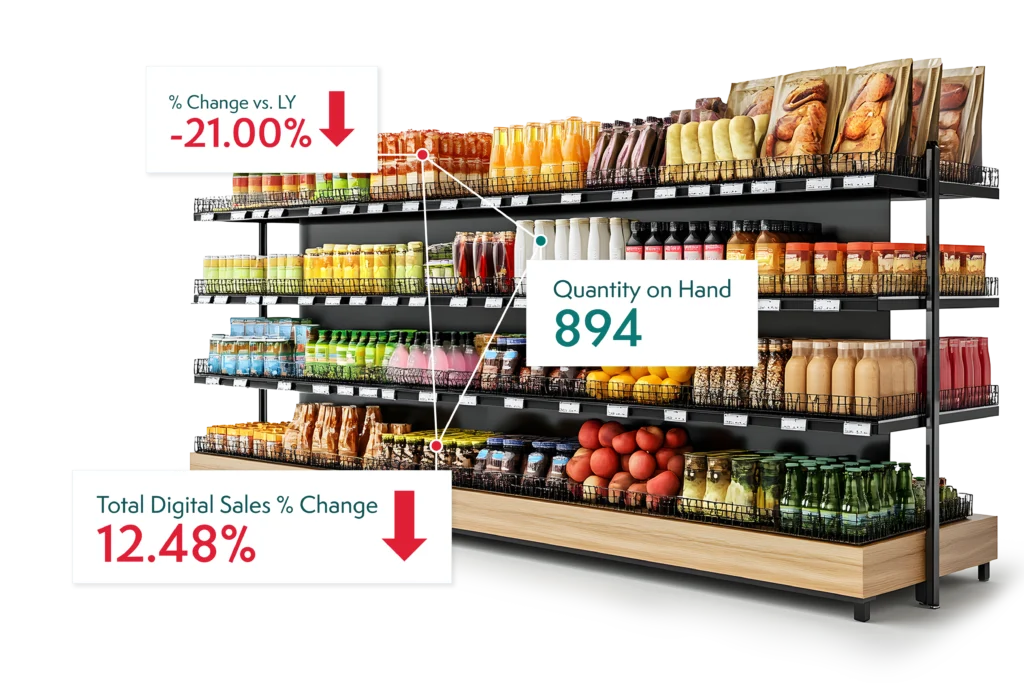
POGs meet POS: Planogram automation meets sales and inventory data
CPG suppliers face a critical challenge: making data-driven decisions fast enough to preserve, or ideally to grow, revenue at the point of sale. Syndicated data from providers such as Nielsen or Circana is helpful for understanding category, industry, and competitive trends. But for decision-making, it can arrive weeks too late to reverse course or seize breaking opportunities.
Point-of-sale data complements, or in some cases can replace, syndicated data with near real-time, more detailed insights delivered directly to the systems teams utilize today. Paired with automated planograms, the wealth of data serves to optimize assortments and boost overall customer satisfaction. Suppliers who can efficiently deliver compliant planograms, and manage and inform revenue-boosting revisions – with proven data to back their recommendations – are most well positioned to succeed in the intensely competitive retail landscape.
Immediate insights when they matter most
What automated point-of-sale (POS) data typically includes:
- SKU and store-level purchases; in-store and online
- Distribution center (DC) and store-level inventory levels
- Velocity metrics
- Basket insights
- Promotional sales data
- And more, depending on the retailer
What CPG category teams can make of it:
- Identify where to add facings for high-velocity items at the store-level, including for online and pick-up orders
- How to re-allocate low performers
- Pinpoint where to shift trade spend to meet retailer sales targets
- Intervene to prevent out-of-stocks (OOS) and phantom inventory instances
Without automation, this extremely high-value data is lost between disaggregated portals. The effort to manually download, clean, and consolidate it is prohibitive. But software solutions like Crisp, that automatically ingest, normalize, and harmonize retail data sources make integration for decision-making seamless.
Ready to learn more about how automated planograms can save time, improve accuracy, ensure compliance, and lift revenue? Meet with our experts.
Frequently asked questions
-
What processes define assortment and space optimization in retail?
Assortment and space optimization sit inside the broader category management cycle. Teams set category goals, cluster stores by shopper behavior, and model decision trees to separate must-have SKUs from duplicative ones. Demand is forecast, SKU-level optimization runs with transference factored in, and space allocation generates store-specific planograms. Crisp supports CPG suppliers through this process with analytics, space planning via Cantactix, and consolidated retail data feeds that make assortment pitches and planogram workflows actionable. For a closer look, see How category teams can create The Ever-Perfect Shelf.
Get insights from your retail data
Crisp connects, normalizes, and analyzes disparate retail data sources, providing CPG brands with up-to-date, actionable insights to grow their business.