

What should CPG brands look for in retail inventory tracking software?
Many inventory tools are built for one retailer, one warehouse, or one internal inventory system. Retail inventory tracking software for CPG brands is different. CPG teams need to track product availability across multiple retailers and distributors, compare performance across accounts, and spot store-level issues early enough to protect sales.
In this guide, retail inventory tracking software refers to tools that help CPG brands understand product availability and performance across retail partners. Inventory tracking across retailers isn’t just about knowing how much product has shipped. CPG teams need to know whether products are available for shoppers to buy where and when they expect them.
Generic inventory tools don’t solve that problem.
The most useful software helps teams compare retailers, understand where problems are emerging, and decide where to focus first when inventory or execution issues appear.
Inventory tracking across retailers isn’t just about knowing how much product has shipped. CPG teams need to know whether products are available for shoppers to buy where and when they expect them.
What to look for in retail inventory tracking software
The most important capabilities include:
- Insights that help teams prioritize action
- Visibility across retailers
- Store-level detail
- Standardized data across partners
- Daily or near real-time updates
| Capability | What most tools do | What CPG teams actually need |
Visibility | Show inventory in one system | Show inventory across retailers in a preferred environment |
| Store-level detail | Show retailer totals | Show where products are missing at the store level |
| Data | Pull reports | Standardize data across partners |
| Updates | Weekly or delayed | Daily or near real-time |
| Prioritization | Show trends and dashboards | Surface pressing recommendations and ROI |
The most useful software helps teams compare retailers, understand where problems are emerging, and decide where to focus first when inventory or execution issues appear.
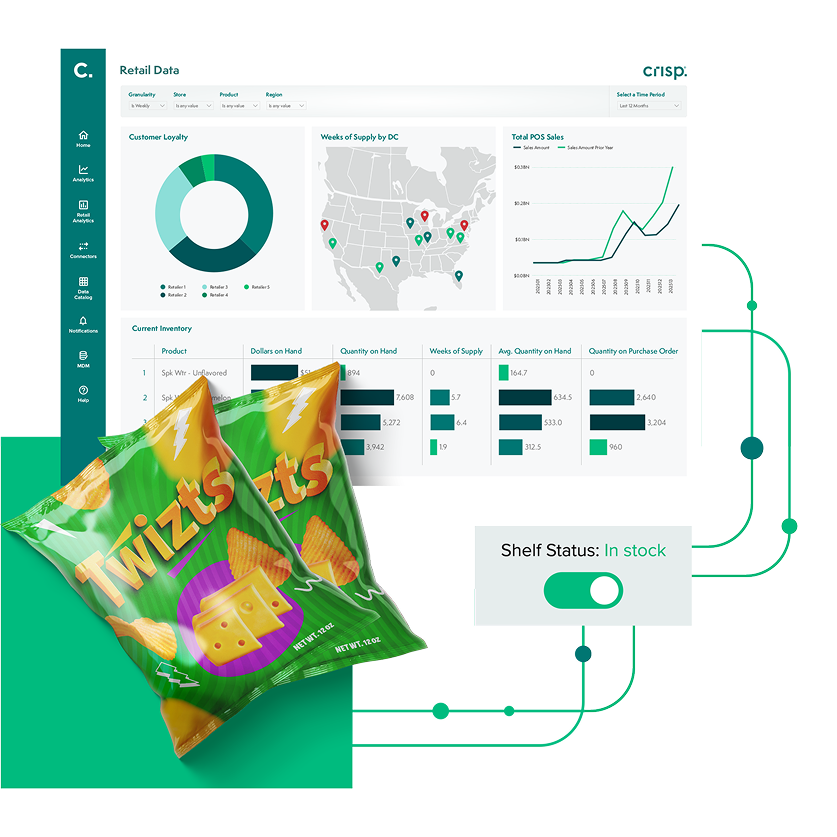
Accurate inventory tracking with real-time data
Visibility across retailers, not just one system
For CPG brands, getting a clearer picture of product availability and emerging risk requires combining data from retailers, distributors, and internal systems. Looking at each source on its own makes it harder to see where products may be missing, where issues are developing, and how performance varies across accounts.
Retail inventory tracking software should bring those sources together into one view so teams can work from across accounts.
One view helps teams decide which retailers need attention first, which stores may need follow-up, and where availability problems may already be affecting sales.
One view helps teams decide which retailers need attention first, which stores may need follow-up, and where availability problems may already be affecting sales.
Store-level visibility, not just totals
Total sales and inventory data across a retailer can help teams track broad performance trends. But totals alone are not actionable. Teams still need store-level detail to know where products are already missing, which stores are at risk, where execution is breaking down, and where to focus first.
For example, a promotion may lift overall sales at a retailer, but if it causes out-of-stocks in a handful of high-volume stores, those lost sales may not be obvious in the total numbers.
Those issues don’t show up directly in summary reporting across a retailer. Teams may only see the impact later as softer sales, without a clear reason why.
The same thing happens with everyday inventory. A product may show as in stock at the retailer level, while some stores are already out. In other cases, inventory may be sitting in the back room but not making it to the shelf. A newly approved item may be available in the system but not yet set in all stores.
When retailer-reported inventory doesn’t match what shoppers can actually buy in stores, teams may react too late to protect sales.Retail inventory tracking software should make store-level issues easier to spot. Teams need to know where products are already missing, which stores need attention, and where availability problems may already be affecting sales. Store-level detail helps teams protect sales, not just explain them after the fact.
Retailer data still has value. The challenge is that CPG teams often need a clearer, more complete view across retailers and stores to understand where availability problems are affecting sales.
Data that is consistent and comparable
Retailer data can be useful on its own. A CPG team can learn a lot by looking at how products are performing within one retailer.
But comparing performance across retailers can reveal another layer of insight. That is where teams can spot differences, identify missed opportunities, and decide where to focus next.
Why cross-retailer comparison is valuable
CPG teams use cross-retailer comparison to answer questions such as:
- which retailers are supporting a promotion most effectively
- where are products outperforming or underperforming
- which accounts may be missing a proven sales opportunity
- where inventory, promotion, or sales support should be focused first
For example, a holiday promotion may perform well at six retailers and only modestly at two. That raises useful questions. Did the retailers support the promotion differently? Were key items less available in stores? Did the assortment, timing, or execution vary?
The same thing can happen with new products. A brand may launch five new SKUs, and each retail partner may choose a different mix to carry. If one retailer leaves out a product that is clearly performing well elsewhere, the sales team has data to show that one retailer what it may be missing and use it to build a stronger fact-based sales story.
When teams miss signals, decisions can suffer. Reorders may be delayed because the system shows inventory on hand. Demand signals may look weaker than they actually are, affecting reorder quantities. Sales may decline in specific stores without a clear explanation.
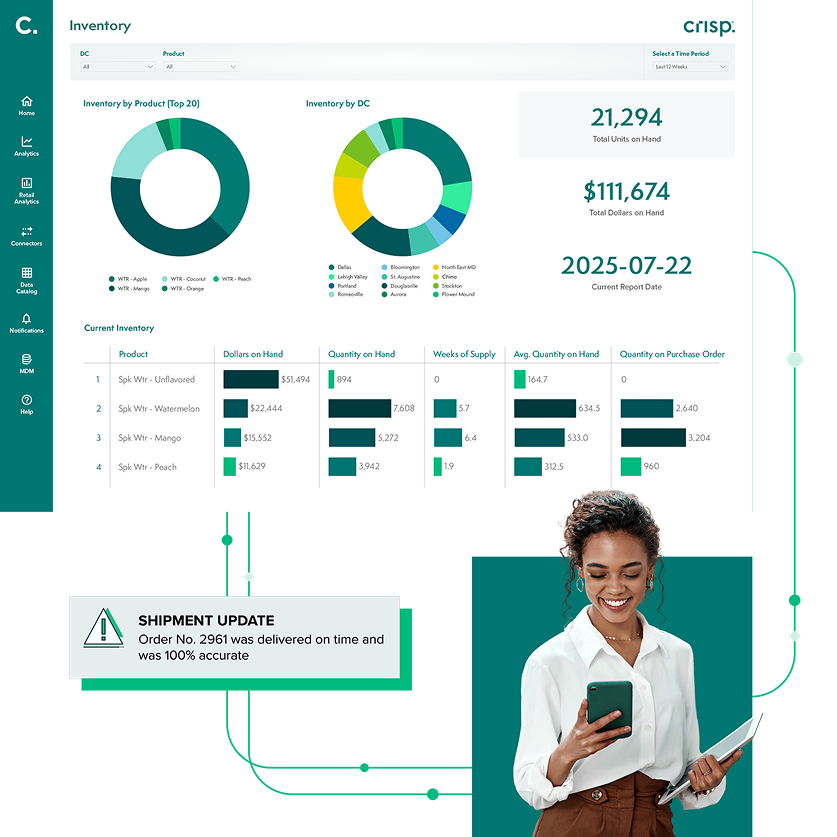
Grow retail revenue with real-time data
Why retailer data is hard to compare
Retailer data is hard to compare because each retailer uses its own product identifiers, reporting formats, and units of measure. Each retailer may also provide data through its own portal and on its own schedule. Some retailers report daily, others weekly. Products may be grouped differently, and time periods may not line up. Managing that complexity often depends on strong master data management for CPGs.
Without a system designed to track inventory across retailers, the same product can appear differently across partners. Teams spend more time reconciling reports than making decisions.
Retail inventory tracking software should standardize how products, stores, and time periods are defined so teams can compare performance across retailers more clearly. Once that data is more consistent, teams have more confidence in decision-making.
Products may be grouped differently, and time periods may not line up. Managing that complexity often depends on strong master data management for CPGs.
Timely data, not delayed reporting
Timely data means teams can see inventory and availability changes soon enough to act on them. For CPG brands, that usually means daily or near real-time updates in a format teams can use.
Timing matters because availability problems can get worse quickly. The longer a product is out of stock, stuck in the back room, or missing from a promotion, the more sales may be lost.
For example, a promotion for a new product may be live, but some stores may not yet have the product on the shelf. Without timely data, teams may keep supporting the promotion without realizing shoppers can’t find the item in key stores.
More frequent updates help teams spot at-risk stores, shelf execution issues, and unsupported promotions sooner. The value of timely data isn’t just faster reporting. It is the ability to reduce the damage from problems that are already happening and prevent some issues from getting worse.
More frequent updates help teams spot at-risk stores, shelf execution issues, and unsupported promotions sooner. The value of timely data isn’t just faster reporting. It is the ability to reduce the damage from problems that are already happening and prevent some issues from getting worse.
Keep sales, supply chain, and operations aligned
Inventory tracking isn’t owned by one team.
Sales teams use retail data to understand performance, explain results to buyers, and prioritize accounts. Supply chain teams use the same data to manage replenishment, monitor inventory levels, and prevent out-of-stocks. Marketing and operations teams rely on it to plan promotions and ensure execution in stores.
When each team is working from a different version of the data, decisions can become misaligned. Sales may push for growth in an account where supply is already constrained. Supply chain teams may adjust inventory without visibility into upcoming promotions. Operations teams may be left reacting to store-level problems after sales are already affected.
A shared view of inventory helps teams stay aligned and act on the same priorities across retailers. Instead of reacting separately, teams can coordinate decisions and protect sales more effectively.
Scales with distribution growth
Inventory tracking becomes more complex as distribution expands.
Each retailer provides data in its own format, through its own portal, and on its own schedule. Some update daily. Others update weekly. Product names, categories, and metrics are not always consistent.
At a small scale, teams may be able to manage that work manually. As the number of retailers and distributors grows, that approach becomes harder to maintain. Teams spend more time downloading reports, cleaning data, and reconciling numbers than making decisions. Some brands also find that maintaining their own retail data workflows creates ongoing work as retailer portals and reports change over time.
Retail inventory tracking software should scale with the business by automating data collection and standardizing how information is organized. That allows teams to add new retailers and distributors without increasing manual work.
As the number of retailers and distributors grows, that approach becomes harder to maintain. Teams spend more time downloading reports, cleaning data, and reconciling numbers than making decisions.
From retail reporting to action
Most tools are good at reporting what already happened. They show where sales changed, where inventory dropped, and where performance varied across retailers.
That information is useful, but it does not improve outcomes on its own.
Better retail inventory tracking software helps teams identify issues early, see where attention is needed, and decide what to do next.
For example, a team may need to follow up with a retailer about a store-level issue, adjust replenishment to help prevent an out-of-stock, or shift inventory to better match demand.
The value of the data is in how quickly those decisions can be made. Better software does more than describe what happened. It helps teams respond sooner.
Some teams are also exploring how AI can help turn retail data into faster decisions at scale, especially as the volume of store-level signals grows.
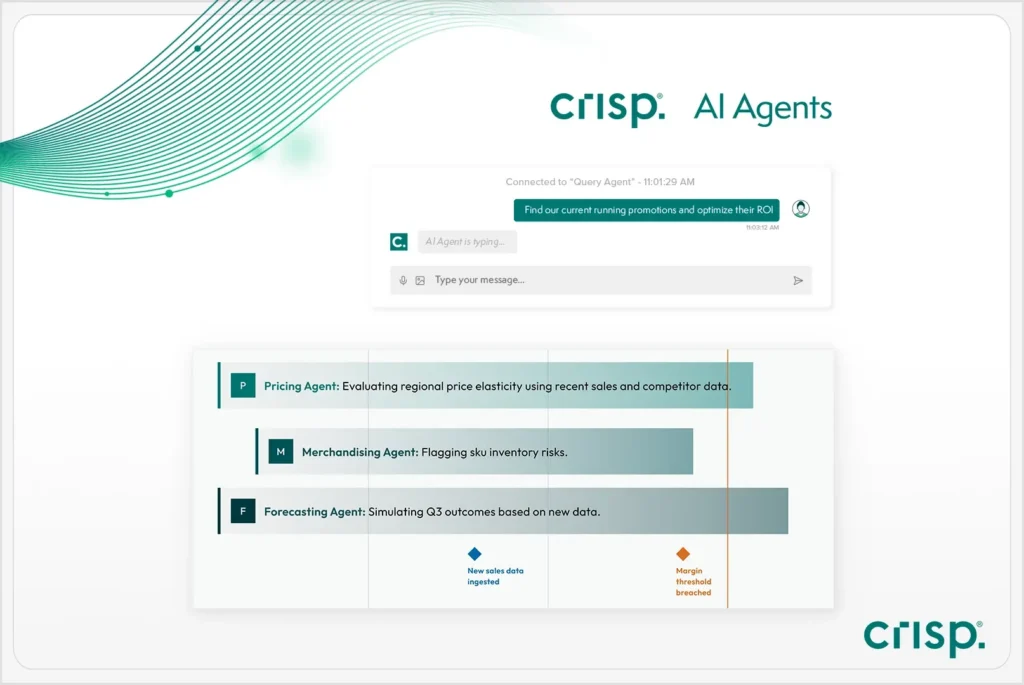
Discover Crisp AI Agents for Retail
Questions to ask when comparing software
Before comparing features, make sure the software can answer the questions CPG teams face every day:
- Can it compare retailers in one view?
- Can it show store-level issues?
- Can it standardize retailer data?
- Can it update often enough to be useful?
- Can it help teams decide where to act first?

Grow retail revenue with real-time data plus AI
The shift from reporting to continuous monitoring
A better approach is to keep track of inventory and availability as they change, not after reports are pulled and reviewed.
For CPG brands, that means watching for early signs of out-of-stocks, missed shelf execution, or slowing sales at the store level. When teams can see those issues sooner, they have more time to follow up with retailers, adjust orders, or investigate the cause.
As retail data becomes easier to compare and use, more teams are also looking at how automation can turn retail data into faster decisions.
Learn more by speaking with an expert.
Retail inventory tracking software FAQs
-
What is retail inventory tracking software?
Retail inventory tracking software helps CPG brands monitor where products are available across retailers and distributors using data from multiple sources. It also supports the broader work of retail inventory tracking by giving teams a clearer view of availability across partners.
-
How is retail inventory tracking software different from inventory management software?
Inventory management software often focuses on warehouse stock, purchasing, or internal inventory control. Retail inventory tracking software for CPG brands focuses on availability across retail partners, including store-level performance, out-of-stocks, and where teams need to act first.
-
Why does store-level visibility matter?
Store-level visibility matters because retailer totals can look healthy even when certain stores are already out of stock, missing shelf placement, or failing to support a promotion. Store-level detail helps teams spot problems sooner and reduce lost sales.
-
Why is cross-retailer comparison difficult?
Cross-retailer comparison is difficult because retailers often use different product identifiers, reporting formats, units of measure, and update schedules. Without standardized data, teams spend more time reconciling reports than making decisions.
-
What features matter most in retail inventory tracking software?
The most important features include visibility across retailers, store-level detail, standardized data across partners, daily or near real-time updates, and insights that help teams prioritize action.
Get insights from your retail data
Crisp connects, normalizes, and analyzes disparate retail data sources, providing CPG brands with up-to-date, actionable insights to grow their business.