

What to look for in Retail Master Data Management (MDM) software
CPG teams use data from retailers, distributors, syndicated providers, and internal systems every day. That data is hard to work with when the same product appears under different item numbers, product names, pack sizes, category labels, or reporting rules.
Retail master data management (MDM) software should make product data easier to trust by connecting different records for the same product before they reach reports. Teams can then spend less time reconciling data and more time acting on it.
CPG teams often need capabilities that go beyond basic product data management. Retailer-specific item IDs, product hierarchies, pack sizes, and syndicated data can create challenges that many platforms were not designed to handle.
The six criteria below can help teams evaluate whether an MDM platform is built for everyday retail data work.
What to ask vendors to show in a retail MDM software demo
A demo should show more than a clean sample workflow. Ask vendors how the platform handles the product data and reporting challenges your team works through every day.
| Evaluation criterion | What to ask the vendor to show |
| Retail-specific complexity | How the platform handles retailer-specific item IDs, packaging changes, seasonal products, and syndicated data updates. |
| Product attribution | How retailer item IDs, UPCs, distributor records, and syndicated products connect to the same product. |
| AI-assisted mapping | How AI suggests product matches and how users review, approve, or reject recommendations. |
| Governance | Approval workflows, audit trails, version history, and rollback capabilities. |
| Product hierarchies | How products roll up into custom categories, brands, divisions, or reporting groups. |
| Analytics integration | How product data flows into Snowflake, Databricks, Power BI, Tableau, or other reporting tools. |
Use the table to evaluate how the platform handles real retail data. The sections below explain why each capability matters once product data starts flowing through reports, dashboards, and team workflows.
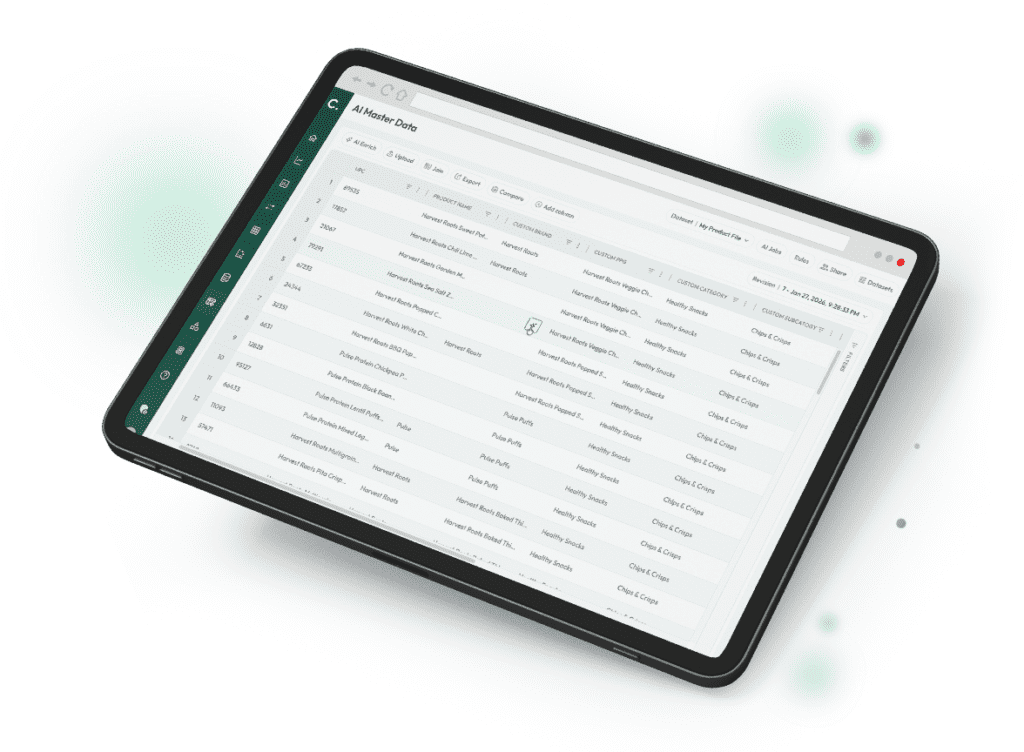
Experience Crisp AI Master Data for CPG and Retail
A demo should show more than a clean sample workflow. Ask vendors how the platform handles the product data and reporting challenges your team works through every day.
Can the platform handle retail-specific complexity?
MDM software is used across industries to keep records aligned across systems. For CPG teams, that need becomes more complex because every retailer, distributor, and syndicated provider may describe the same product differently.
A single product may appear one way in an ERP, another way in a retailer POS feed, another way in a distributor file, and another way in syndicated data. Each source may use different product IDs, pack sizes, category labels, update schedules, and reporting formats.
Retailer-exclusive SKUs add another layer. A product created for one retailer may need to stand alone in one report and roll into a broader product family in another. Many general-purpose MDM platforms need extra setup to manage those retail-specific relationships.
Retail-native MDM software should reduce that reconciliation work. Teams evaluating platforms should also understand the broader process of aligning retail product data across systems and reporting sources.
If the platform cannot handle retail-specific complexity, the cleanup work often stays with the team.
A product created for one retailer may need to stand alone in one report and roll into a broader product family in another. Many general-purpose MDM platforms need extra setup to manage those retail-specific relationships.
Retail-native product attribution and mapping
Retail MDM software needs to recognize when different records describe the same product.
For example, a protein bar sold through Target and UNFI may appear under three different item IDs. A syndicated provider may list that same product under a different classification. If those records are not connected correctly, one report may show four separate products while another shows one.
Retail MDM software should connect those records to a shared product definition. Many platforms refer to this process as product attribution. When attribution is accurate, sales, inventory, and assortment performance roll up consistently across reports.
Packaging changes make accurate attribution even more important. A redesign or pack-size update may create a new retailer item ID, even when the product still belongs in the same product family. Without a reliable way to connect those records, reporting can quickly become inconsistent.
When evaluating software, ask vendors to show how the platform connects product records across retail, distributor, syndicated, and internal sources. A strong platform should make those relationships visible, allow teams to review exceptions, and keep product definitions current as retail data changes.

Grow retail revenue with real-time data plus AI
AI-assisted attribution with human review
Teams can connect product records by hand when assortments are small. That work gets harder as new products, retailer feeds, and syndicated reporting sources are added.
AI can help by suggesting likely product matches, classifications, and records that need review.
For example, AI can suggest likely matches when a new product appears in a retailer feed with a shortened name, different pack size, or missing attribute. A faster starting point helps teams review records instead of rebuilding every connection from scratch.
Because product attribution affects many reports, teams need confidence that suggested matches are correct. A bad match can create problems long after the data reaches a dashboard.
When evaluating software, look for AI-assisted product attribution that keeps users in control. Teams should be able to review recommendations, approve changes, reject suggestions, and understand why a recommendation was made.
The best AI workflows reduce manual work while helping teams trust the product data behind their reports.
When evaluating software, look for AI-assisted product attribution that keeps users in control. Teams should be able to review recommendations, approve changes, reject suggestions, and understand why a recommendation was made.
Governance and data control
Product data changes constantly. New products launch. Retailers update item information. Teams create new classifications and reporting groups.
Those changes need a clear review process. Without one, a product hierarchy can change in one place while another report keeps using the older version.
For example, a data steward may update how a seasonal multipack rolls into a product family. Without visibility into that change, one team may report it as a separate product while another includes it in a broader category.
When evaluating software, look for approval workflows, audit trails, version history, and rollback capabilities. Teams should be able to see what changed, who made the change, and when it happened.
Not everyone should be able to change the same data. Analysts, category managers, data stewards, and administrators may each need different permissions. Strong governance helps teams protect the data without slowing down everyday work.
Governance should help teams keep product data accurate as products, retailers, and reporting needs change.
Flexible classifications and product hierarchies
Retailers, distributors, and syndicated providers often organize products differently. A category structure that works for one source may not answer the questions a CPG team needs to ask.
A retailer may group products by aisle or department. A brand may want to analyze performance by product family, nutrition profile, ingredient type, or business unit.
Retail MDM software should let teams create and manage their own product hierarchies instead of being limited by how an external source classifies products.
A team may want to compare high-protein products across brands, roll products into a corporate division, or measure the impact of private label competitors within a category. Those reporting structures often do not exist in retailer or syndicated data.
When evaluating software, ask vendors to demonstrate how custom classifications are created, maintained, and applied across product records. A flexible platform should support both standard product hierarchies and the groups your business uses for reporting.
Better classification helps teams answer business questions without rebuilding product groups every time new data arrives.
Compatibility with your existing data stack
Retail MDM software should improve product data without requiring teams to replace the tools and workflows they already rely on.
Most CPG organizations already have reporting and analytics tools in place. Product data may move into Snowflake, Databricks, Power BI, Tableau, retailer reporting tools, or internal dashboards. Replacing those systems is rarely the goal.
Retail MDM software should deliver consistent product definitions into the tools teams already use as part of a broader retail data analytics strategy.
Sales, inventory, and assortment data often move through multiple systems before reaching reports and dashboards. Product data should arrive in those systems already organized and ready for analysis.
When evaluating software, ask vendors how product data moves into existing reporting workflows. A strong platform should support current reporting tools, reduce manual data preparation, and help maintain consistent product definitions across the systems teams already use.
Inventory tracking, forecasting, assortment planning, and retail data management all depend on product data being organized consistently before analysis begins.
Product data should arrive already aligned before it reaches reports and dashboards.
Red flags to watch for when evaluating retail MDM software
Not every platform that looks good in a demo will hold up in day-to-day use. Watch for these warning signs.
The demo uses only sample data
A polished demo environment can hide data quality challenges. Ask vendors to demonstrate how the platform handles your own SKUs, retailer item IDs, and reporting structures whenever possible.
Product relationships cannot be reviewed or explained
Users should be able to understand how product records were connected and review exceptions when needed. If product mappings operate as a black box, troubleshooting becomes difficult when reporting issues arise.
Custom classifications require a services engagement
Business needs change. Teams should be able to create and maintain reporting groups, product hierarchies, and classifications without opening a support ticket or funding a separate implementation project.
Changes cannot be reviewed or reversed
Product data keeps changing. Look for approval workflows, audit trails, version history, and rollback capabilities. Without approval workflows, version history, or rollback, teams may not catch a bad update until it appears in multiple reports.
New retailer connections require extensive custom work
Retailers update formats, add attributes, and change reporting structures over time. If every new retailer or distributor connection requires significant custom configuration, maintenance costs can grow quickly.
Product data must be rebuilt before reporting
Retail MDM software should simplify reporting workflows. If teams still need to export data, rebuild mappings in spreadsheets, or manually reconcile product records before analysis, the platform may not be solving the underlying problem.
If product mappings operate as a black box, troubleshooting becomes difficult when reporting issues arise.
Choosing retail MDM software
The goal of retail MDM software is less reconciliation and better decisions.
Look for a platform that can connect, classify, and govern product data before it reaches sales, inventory, and assortment reports. Teams evaluating AI-driven approaches may also want to see how product data can be managed at scale.
As you evaluate options, focus on how each platform handles your real SKUs, retailer data, syndicated sources, product hierarchies, and reporting workflows.
Crisp AI Master Data helps CPG teams manage product data across retailers, distributors, and syndicated sources, so teams can spend less time reconciling reports and more time acting on retail insights.
See what Crisp AI Master Data can do for your team.
FAQs about retail Master Data Management (MDM) software
-
Does retail MDM replace my ERP or sit alongside it?
Retail MDM usually works alongside an ERP as part of a broader master data management strategy. The ERP still manages core business functions such as finance, manufacturing, and order management. Retail MDM helps connect product records across retailers, distributors, syndicated providers, and internal systems before that data reaches reports and analytics tools.
-
What is product attribution in retail MDM?
Product attribution is the process of connecting product records that represent the same item across different sources. A product may have one identifier in a retailer POS feed, another in a distributor file, and another in syndicated data. Retail MDM connects those records to a shared product definition, so sales, inventory, and assortment performance can be analyzed consistently.
-
What does a human-in-the-loop review workflow look like?
A human-in-the-loop workflow means automation helps, but people still review important changes. AI can suggest product matches, classifications, or hierarchy updates. Users then review and approve those recommendations before changes are applied.
-
Can retail MDM work with Snowflake, Databricks, or Power BI?
Yes. Retail MDM should work with the reporting and analytics tools teams already use. Product data can be aligned inside the MDM platform before moving into data warehouses, BI tools, dashboards, and reports.
-
How should teams handle seasonal SKUs and packaging changes?
Teams should define how seasonal products, promotional packs, and packaging updates connect to existing product definitions. Retail MDM helps maintain those relationships, even when retailer item IDs or packaging formats change.
-
What is the difference between retail MDM and PIM?
A Product Information Management system manages customer-facing product content, such as descriptions, images, and ecommerce attributes. Retail MDM aligns product records across retailers, distributors, syndicated providers, ERP systems, and internal reporting workflows. Many organizations use both, but they solve different problems.
Get insights from your retail data
Crisp connects, normalizes, and analyzes disparate retail data sources, providing CPG brands with up-to-date, actionable insights to grow their business.