

Why Retail Master Data Management (MDM) matters for CPGs
Every Monday morning, a team member opens six different retailer spreadsheets.
Before any analysis can begin, they spend hours matching product data across reports. The same item may appear under different SKU codes, names, attribute fields, or category labels depending on the retailer or data source.
Retail MDM helps teams connect those variations back to one shared product definition, so they can compare sales, inventory, and assortment data with more consistency across retailers and reporting workflows.
Reconciling those files manually is a master data problem. Here’s how to fix it.
Key takeaways:
- Retail master data management keeps product records aligned across retailers, distributors, syndicated providers, ERP systems, and internal reporting workflows.
- Clean product data isn’t enough. Teams also need mapping and attribution to connect retailer item IDs, UPCs, syndicated records, and internal product definitions.
- Product alignment becomes more complex as assortments, packaging changes, retailer-exclusive SKUs, and syndicated reporting feeds expand.
- AI-assisted workflows can speed up product mapping and attribution, but human review remains important for edge cases, governance, and reporting accuracy.
What is retail master data management?
Retail master data management (MDM) is the process of connecting product records that appear differently across retailer, distributor, syndicated, ERP, and internal reporting sources. Retail MDM helps teams count, group, and analyze the same product consistently across reports.
Many organizations describe MDM as creating a “single source of truth.” For CPG teams, that is not always simple. The same product may have one record in an internal system, a different item ID in an Amazon report, another name in a Target file, and a separate distributor listing from UNFI.
Retail MDM connects those records back to a shared product definition. As part of a broader master data management for CPGs strategy, that work may include standardizing product attributes, mapping retailer item IDs, aligning classifications, and applying business-specific reporting rules. As retailers, SKUs, and reporting feeds expand, product conflicts take more time to manage manually. Without a consistent process, teams spend more time cleaning reports than analyzing performance.
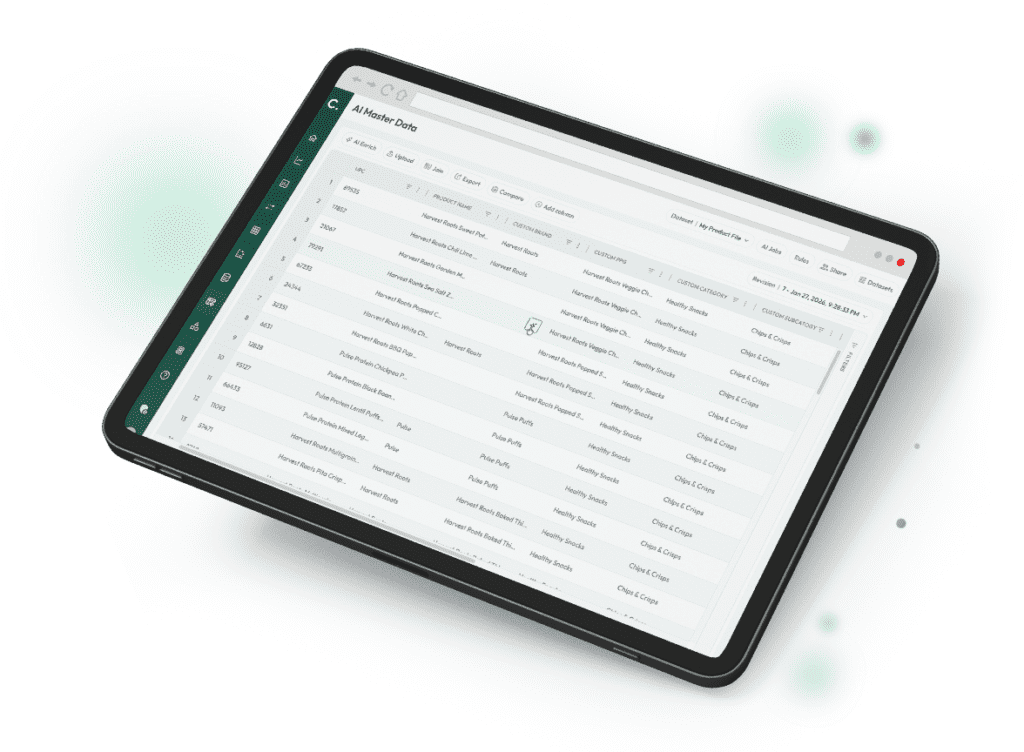
Experience Crisp AI Master Data for CPG and Retail
As retailers, SKUs, and reporting feeds expand, product conflicts take more time to manage manually. Without a consistent process, teams spend more time cleaning reports than analyzing performance.
Why retailer and syndicated data don’t line up cleanly
Retail product data is difficult to manage because every retailer, distributor, and syndicated provider structures information differently. Even when the products are the same, the records often aren’t.
A retailer item ID, UPC, distributor record, and syndicated product listing may all point to the same item in different ways. One retailer may use a short product name, while another includes flavor, pack size, or merchandising details.
Packaging updates create another issue. A redesign or pack-size change may create a new retailer item ID, even when the product is largely the same. If those records aren’t mapped correctly, reports may split sales and inventory across multiple product records.
Classification differences create more friction. One retailer may group a snack product under “protein bars,” while another places it under “meal replacement snacks.” A syndicated provider may use a broader category structure that doesn’t match either retailer.
As assortments grow, teams often fill the gaps with spreadsheets, manual lookups, and retailer-specific report edits. Analysts may spend hours reconciling product records before they can compare performance across retailers or syndicated reports.
A retailer item ID, UPC, distributor record, and syndicated product listing may all point to the same item in different ways. One retailer may use a short product name, while another includes flavor, pack size, or merchandising details.
Why clean data still needs mapping and attribution
Cleaning retailer data usually starts with normalization. Normalization fixes the format, including names, dates, pack sizes, duplicate fields, and inconsistent product descriptions.
That work makes reports easier to read, but it does not answer the bigger question: do these records represent the same product?
Mapping does that next step. It connects retailer item IDs, UPCs, syndicated records, and internal product definitions so teams know which records belong together.
| Concept | What it does | What it does not do |
| Normalization | Cleans formats, names, dates, and pack-size descriptions | Decide whether records represent the same product |
| Mapping | Connects records that refer to the same item | Add business-specific categories or attributes |
| Attribution | Adds classifications, attributes, and reporting rules | Eliminate human review for edge cases |
A product may look clean in every report and still be counted differently in retailer dashboards, syndicated analysis, and internal reporting.
New flavors, retailer-exclusive items, packaging changes, and seasonal products create new mapping decisions over time. Each one affects how sales, inventory, and portfolio performance roll up.
Once product records are mapped and attributed, teams can analyze performance without reconciling multiple versions of the same item each reporting cycle.
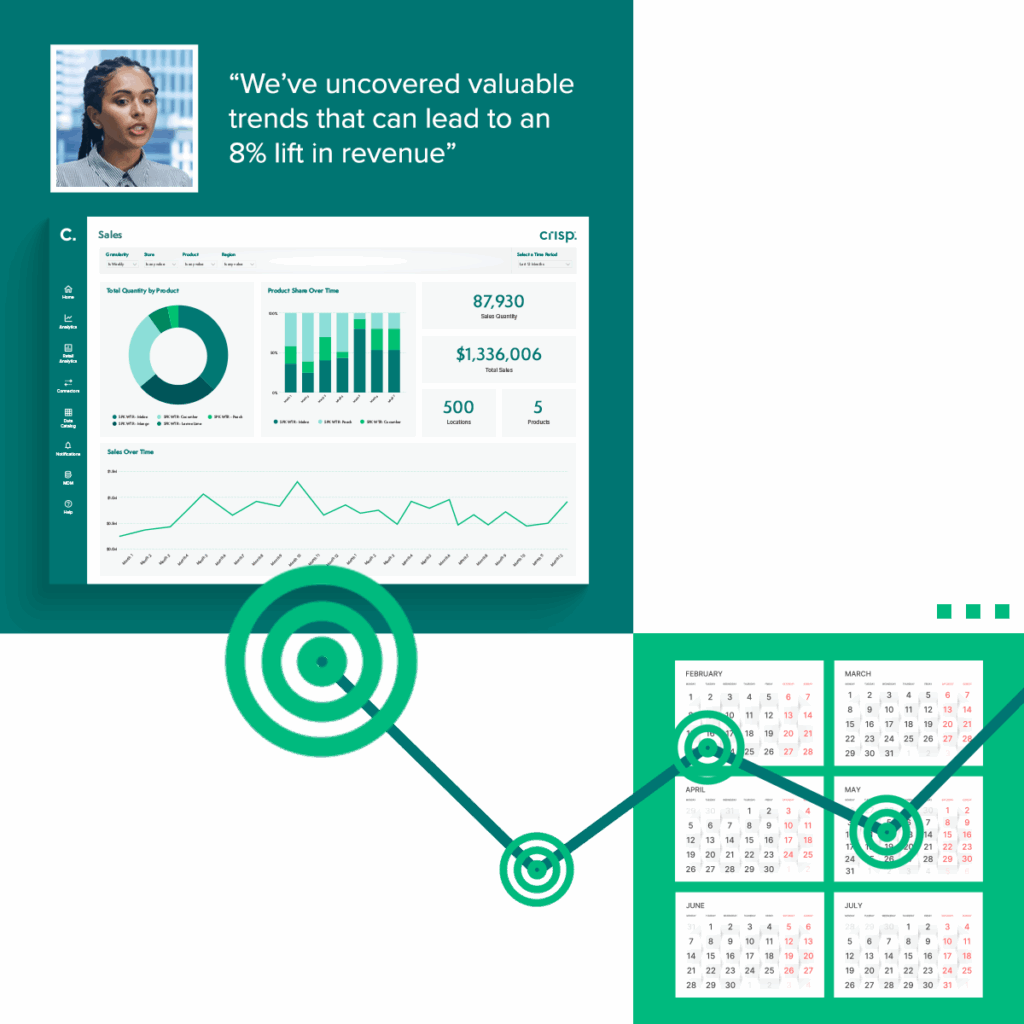
Grow retail revenue with real-time data plus AI
Why shared product definitions matter
Shared product definitions give teams one way to group, compare, and analyze products across retailer, syndicated, and internal data.
That becomes more important as assortments expand. A portfolio may include multiple flavors, pack sizes, seasonal products, and retailer-exclusive variations. Those products still need to roll up to the right product families, categories, and reporting views.
Shared definitions let teams organize products based on how the business operates, not only how each retailer classifies them. A company may want to group products under a “Pet Division,” compare high-protein snacks across brands, or analyze performance by flavor profile.
Analysts can also evaluate the same products across POS reporting, syndicated trends, inventory reports, and internal dashboards.
Made by Gather, a kitchenware and housewares brand, used Crisp to harmonize data across Target, Amazon, Costco, and more to streamline attribution and product hierarchies. Teams could compare performance across retailers, products, and stores from one consistent view.
The next step is turning those shared definitions into a repeatable workflow.
A practical workflow for aligning retail product data
Shared definitions let teams organize products based on how the business operates, not only how each retailer classifies them. A company may want to group products under a “Pet Division,” compare high-protein snacks across brands, or analyze performance by flavor profile.
A practical workflow for aligning retail product data
Retail master data management isn’t a one-time cleanup project. Retail assortments change. Item IDs change. Product hierarchies and syndicated classifications change, too.
The workflow below shows the core work behind retail MDM: identifying product records, defining rules, mapping IDs, reviewing exceptions, and feeding trusted product data into reports.
1. Identify the data sources involved
Most CPG teams work across retailer feeds, distributor records, syndicated datasets, ERP systems, and internal reporting tools. Each source may structure product information differently.
2. Define product structures and business rules
Teams then define the product structures and business rules their reports should follow. That may include internal product hierarchies, naming conventions, pack-size rollups, or classifications that reflect how the business reviews performance.
3. Map product identifiers
Next comes product mapping. This connects retailer item IDs, UPCs, syndicated product records, and internal product definitions so the same products can be analyzed consistently.
4. Review edge cases
Packaging redesigns, retailer-exclusive products, seasonal assortments, and limited-edition flavors can all create edge cases. Teams need a way to decide whether those records should roll into existing product families or stand on their own.
5. Feed aligned product data into reporting
From there, aligned product records can support retail analytics, inventory reporting, assortment analysis, syndicated comparisons, and more accurate retail demand forecasting.
The ongoing work is keeping that alignment current as products, retailers, and reporting needs change.
How AI helps with product mapping and attribution
Product mapping may be manageable with a few retailers and SKUs. Once the team adds more accounts, more products, and syndicated reports, the work starts to pile up.
One of the biggest jobs in retail MDM is matching records that describe the same product but look different in each source. AI can surface likely matches across retailer feeds, distributor records, and syndicated datasets, giving teams a faster starting point for review.
Instead of classifying every product one by one, teams can use Crisp AI Master Data to review suggested product groups, flavor profiles, internal hierarchies, or retailer-specific reporting categories.
For example, a team may want to analyze products by “High Protein,” “Sweet + Spicy,” or another custom group that does not exist consistently in retailer data. AI can identify likely products in those groups so teams do not have to review every SKU manually.
AI can also flag conflicting classifications, duplicate relationships, or inconsistent attributes before those issues reach dashboards.
AI does not remove people from the process. It reduces the manual work required to keep product records aligned, while giving teams a faster way to review and maintain trusted product data.
Where human review and governance still matter
AI can suggest mappings and classifications, but some decisions have business consequences. Teams still need a way to review, approve, revise, and track those changes.
A packaging redesign may create a new retailer item ID for a product that should still roll into the same reporting category. A seasonal assortment may overlap with an existing SKU structure. A syndicated provider may classify a product differently than internal teams expect.
Those decisions can affect retailer comparisons, inventory views, trend analysis, and dashboard reporting. That’s why retail MDM workflows often include approval steps before attribution changes are finalized.
Governance controls also protect consistency over time. Features like version history, rollback capabilities, and governed review workflows make it easier to track changes and correct errors.
Crisp AI Master Data combines AI-assisted attribution with governed review workflows, so teams can review suggested changes before those updates reach reporting and analytics.
As assortments grow, governance helps protect reporting accuracy as product data becomes more complex.
When retail MDM becomes necessary
When assortments and retailer relationships are still small, a well-managed spreadsheet may be enough.
The workload grows as new retailers, syndicated datasets, packaging updates, seasonal assortments, and product line expansions create more records to connect.
At first, teams often rely on manual lookups and retailer-specific adjustments. Over time, those workarounds become more difficult to maintain.
Signs your team may need retail MDM:
- Analysts rebuild the same product reports every week.
- Retailer-exclusive SKUs create duplicate records.
- Packaging changes break trend reporting.
- Syndicated and retailer reports don’t group products the same way.
- Leadership asks for faster reporting than spreadsheets can support.
Small mapping issues can also create operational risk. A misaligned hierarchy can affect dashboards, forecasting workflows, inventory analysis, and retailer reporting. The more sources and products involved, the more time those issues take to track by hand.
Retail MDM becomes necessary when teams spend more time reconciling product records than analyzing product performance. Speed matters, but consistency and trust matter just as much.
At that point, teams may need a clearer way to evaluate retail master data management software before choosing a platform.
How aligned product data improves retail reporting
Retail reporting becomes more reliable when sales, supply chain, category management, finance, and operations teams work from the same product definitions. Teams spend less time fixing reports and more time analyzing performance, inventory movement, and retail trends.
Retailer comparisons also become easier to manage. Analysts can evaluate sales, inventory, and assortment performance through consistent retail data analytics workflows without rebuilding spreadsheets every time reports refresh.
Ritual, a health and wellness brand, reduced manual report pulling by more than 10 hours per week after Crisp delivered organized retail data into Snowflake. Teams gained faster access to consistent reporting across retail and ecommerce channels.As assortments, retailer requirements, and syndicated inputs expand, aligned product data gives teams a more reliable foundation for comparing performance, managing inventory, and trusting the reports they use every week.
FAQs about retail Master Data Management (MDM)
-
What is the difference between PIM and MDM?
PIM manages customer-facing product content, such as product descriptions, images, and ecommerce details. MDM manages product data consistency across systems and reporting sources. For CPG brands, MDM helps align retailer item IDs, UPCs, syndicated records, ERP records, and internal product hierarchies.
-
When should a CPG brand move from spreadsheets to retail MDM?
A CPG brand may need retail MDM when teams spend more time reconciling product records than analyzing product performance. Common signs include repeated report cleanup, retailer-exclusive SKUs, packaging changes, syndicated data mismatches, and leadership requests for faster reporting.
-
Can retail master data be managed in Snowflake or Databricks?
Data warehouses can store retail data, but they do not automatically decide which retailer item IDs, UPCs, syndicated records, or internal product definitions belong together. Retail MDM helps align those records before they flow into dashboards, BI tools, or data warehouse reporting.
-
How should teams handle seasonal SKUs?
Seasonal SKUs need clear mapping rules. Teams should decide whether each seasonal item rolls up to an existing product family or stands on its own for reporting. That helps preserve seasonal performance analysis without confusing year-round product reporting.
-
What happens when a retailer changes its data format?
Retailer changes can affect item IDs, category labels, product names, or attributes. When that happens, teams need a way to review the new records, map them to the right product definitions, and make sure reporting stays consistent across retailer, syndicated, and internal systems.
Get insights from your retail data
Crisp connects, normalizes, and analyzes disparate retail data sources, providing CPG brands with up-to-date, actionable insights to grow their business.