













Understanding retail inventory tracking
A product can look available in a retailer’s database while shoppers are already finding empty shelves.
For CPG brands, that can mean lost sales, weaker promotion execution, and slower decisions about where to act first. A top SKU may stop selling in specific stores, or inventory may show as available even when product never made it to the shelf. Retail inventory tracking helps teams connect what reports show with what is happening in stores, so they can compare retailers, spot availability problems sooner, and respond with confidence.
In this guide, you’ll learn what retail inventory tracking means for CPG brands, why it gets difficult across retail partners, and how better visibility helps teams protect availability and sales.
Retail inventory tracking helps teams connect what reports show with what is happening in stores, so they can compare retailers, spot availability problems sooner, and respond with confidence.
What is retail inventory tracking for CPG brands?
Retail inventory tracking for CPG brands means monitoring where products are in stock, where inventory is low, and where items may be missing from stores across retail partners.
CPG brands usually do not get inventory information from one place. They piece it together from several sources, and each source answers a different part of the question.
A CPG brand may receive point-of-sale data from one retailer every day, shipment data from another once a week, and inventory snapshots from a distributor through a separate portal. Each source shows part of the picture, but none shows everything on its own.
Sales, supply chain, and operations teams often rely on different reports and systems. That can make it harder to agree on what’s happening and what action should come next. When CPG teams can access and compare the same retail data across departments, their decisions are easier to align.
Retail inventory tracking is more complex for CPG brands than for single retailers because the data comes from multiple retail partners. Pulling that data into one usable view of what’s happening in stores takes time-consuming work.
When CPG teams can access and compare the same retail data across departments, their decisions are easier to align.
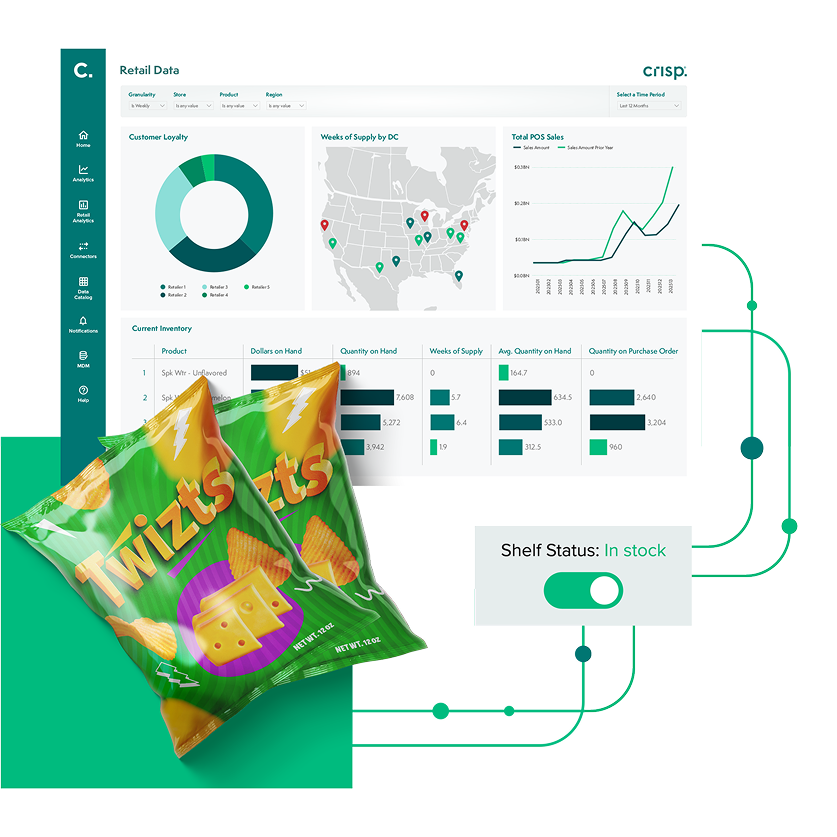
Accurate inventory tracking with real-time data
Retail inventory tracking across multiple retailers
Retail inventory tracking is more manageable when a new brand sells through one or two retail partners. As distribution grows, the work gets harder because each partner reports data differently.
One retailer may identify a product with its own internal item code, while another uses a UPC. One may report inventory in units, while another reports in cases. Some retailers update inventory daily, while others send updates later or less often.
These differences make retail data harder to compare across partners. Data may be spread across separate retailer portals, reports, and systems. It may also arrive in different formats or on different schedules.
| How retailer data differs | What it looks like in practice |
| Product identifiers | One retailer uses internal item codes, another uses UPCs |
| Units of measure | Inventory reported in units vs. cases |
| Reporting timing | Daily updates vs. weekly or delayed files |
| Level of detail | Store-level data vs. chain-level totals |
Teams often end up matching products, cleaning up reports, and double-checking that the numbers are actually comparable across accounts.
Retail inventory tracking is more manageable when a new brand sells through one or two retail partners. As distribution grows, the work gets harder because each partner reports data differently.
Why retail inventory tracking breaks down across retailers
Retail inventory tracking breaks down when teams cannot turn different retailer reports into one clear, usable view.
The issue is not just that data looks different between each partner. The bigger problem is that teams lose time trying to line it up before they can act.
A report may show total inventory for a retailer or region, but not show which stores are already out of stock. High-level reporting can make inventory look healthy overall while specific stores are missing product.
As the number of retail partners grows, the work becomes harder to manage. A brand may be reviewing dozens of feeds, reports, and portal downloads at the same time.
The issue may be discoverable, but the delay has real business impact. By the time data is aligned and reviewed, inventory problems may have already affected multiple stores, and sales may already be lost.
Standardized data helps reduce that delay. When product names, units, dates, and store details line up across reports, teams spend less time cleaning data and more time deciding what to do next.
Delayed or hard-to-compare inventory data can also create broader retail supply chain challenges CPG suppliers must manage, including replenishment delays, forecasting errors, and missed sales.
What causes phantom inventory in retail?
Phantom inventory happens when a system shows product as available, but the shelf is empty.
Common causes include product sitting in the back room instead of on the shelf, inventory being received incorrectly, counts being off, or a store showing stock on hand even though the item is not actually available.
Phantom inventory creates a false sense of availability for CPG brands. Reports may show enough inventory in the system, while stores are already missing the product.
When teams miss that signal, decisions can suffer. Reorders may be delayed because the system shows inventory on hand. Demand signals may look weaker than they actually are, affecting reorder quantities. Sales may decline in specific stores without a clear explanation.
Store-level sales data can help expose the issue. A product that suddenly stops selling in a store that still shows inventory may point to a shelf execution problem or inaccurate inventory records.
Catching phantom inventory early helps teams respond before it spreads across more stores and leads to lost sales.
When teams miss signals, decisions can suffer. Reorders may be delayed because the system shows inventory on hand. Demand signals may look weaker than they actually are, affecting reorder quantities. Sales may decline in specific stores without a clear explanation.
What makes retail inventory tracking difficult for CPG brands
The main challenges usually come down to visibility, data consistency, and timing.
- Limited store-level visibility – A product may look in stock overall while certain stores are already out.
- Retailer data that does not line up – Product identifiers, units of measure, and reporting formats often differ across partners.
- Reporting that is too rolled up – Chain-level or regional totals can hide store-level problems.
- Inventory records that do not match store conditions – Product may be in the back room, in receiving, or missing from the shelf even when systems show it as available.
- Late issue detection – Delayed or inconsistent data can cause teams to find problems after sales have already been affected.
Reporting that is too rolled up: Chain-level or regional totals can hide store-level problems.
How to improve retail inventory tracking
Improving retail inventory tracking is less about adding more reports and more about making it easier to see what is happening and act sooner.
Track inventory at the store level
Inventory issues usually show up in specific stores first. Tracking inventory at the store level helps teams focus on the locations where products are missing, not just where totals look healthy.
Store-level detail makes it easier to catch out-of-stocks early and respond before they spread.
Standardize retailer data for comparison
Retailer data needs to line up before teams can use it.
Brands need a repeatable way to bring retailer data together, clean it up, and compare it across accounts without starting from scratch each time. That usually means mapping retailer-specific item codes to a shared product structure, aligning units of measure, and organizing reports into the same timeframes.
Focus on availability, not just inventory levels
Inventory in a system does not always reflect what is happening in stores.
Tracking availability means paying attention to where products are actually on the shelf, where they are missing, and where demand is not being met.
That shift helps teams respond to real conditions instead of relying only on reported inventory.
Use timely data to act sooner
Inventory changes quickly. A product that is available today may be out of stock tomorrow.
More frequent updates help teams catch changes earlier and respond while issues are still limited to a smaller number of stores.
Faster data supports faster decisions, especially when teams need to adjust orders or follow up with retail partners.
Prioritize the stores and products that need attention
A consistent view of retailer and distributor data can help highlight stores with low inventory, products that are not selling as expected, and areas where availability is breaking down.
Faster identification helps teams prioritize actions and respond before issues affect more stores.
Example: improving inventory visibility and fill rates
Retail inventory tracking can help CPG brands solve costly problems, from out-of-stocks to slow replenishment decisions.
MUSH was facing out-of-stock rates as high as 40% before using Crisp to gain real-time visibility across more than 11,000 retail locations. Better access to inventory, sales, and shipping data helped the team improve in-store availability and keep more product on the shelf.
Nature’s Bakery was growing fast, but customer demand was outpacing production capacity. The team needed a better way to manage inventory during rapid growth and reorder precisely during peak seasons like Back to School. With Crisp, Nature’s Bakery can track inventory from distribution centers to stores and spend less time analyzing data.
Many CPG teams know they need stronger inventory tracking but still struggle to put the right systems in place. For teams evaluating that next step, it helps to understand what retail inventory tracking software should actually do for a CPG brand.
How retail inventory tracking supports category management
Category management defines what should happen at the shelf. Retail inventory tracking shows whether that plan is holding up in stores.
Availability plays a direct role in category performance. Products need to be on the shelf in the right stores, at the right time, and in the right quantities for pricing, placement, and promotion decisions to work as expected.
Retail inventory tracking helps teams:
- Confirm whether key items are consistently available
- Understand why performance varies across stores or retailers
- Adjust plans based on what is happening in stores
Better tracking helps connect category strategy to real store conditions.
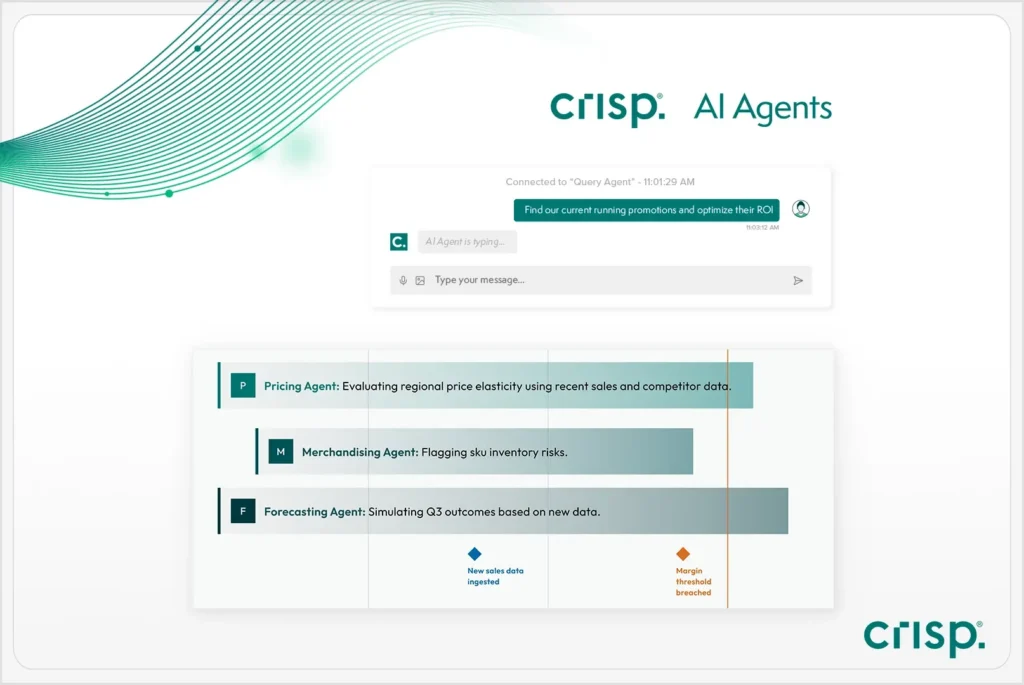
Discover Crisp AI Agents for Retail
Why traditional inventory tracking tools fall short for CPG brands
Many traditional inventory tracking tools are better at showing what already happened than helping teams respond while there is still time to act.
For CPG brands, that creates a problem. Inventory issues often start in specific stores, accounts, or distribution points. If the data arrives late, appears only in broad totals, or requires manual cleanup before anyone can use it, teams may not see the issue until there’s less time to respond.
Common limitations of traditional inventory tracking tools include:
- Delayed reporting
- High-level totals instead of store-level detail
- Retailer data that is difficult to compare
- Manual report pulling and data cleanup
Those limitations slow down decisions. Teams may know there’s a problem, but still spend too much time figuring out where it started, which accounts are affected, and what needs to happen next.
Retail inventory tracking for CPG brands works better when teams can move from reviewing old reports to monitoring current conditions across retailers.

Grow retail revenue with real-time data plus AI
The shift from reporting to continuous monitoring
A better approach is to keep track of inventory and availability as they change, not after reports are pulled and reviewed.
For CPG brands, that means watching for early signs of out-of-stocks, missed shelf execution, or slowing sales at the store level. When teams can see those issues sooner, they have more time to follow up with retailers, adjust orders, or investigate the cause.
As retail data becomes easier to compare and use, more teams are also looking at how automation can turn retail data into faster decisions.
Learn more by speaking with an expert.
Retail inventory tracking FAQs
-
What is retail inventory tracking?
Retail inventory tracking is the process of monitoring where products are available across retail partners.
-
Why is retail inventory tracking difficult for CPG brands?
Retail inventory tracking is difficult because each retailer reports data differently, making it harder to compare performance and identify issues across accounts.
-
What is phantom inventory?
Phantom inventory is when systems show products as available, but the shelf is actually empty.
-
How can CPG brands improve inventory tracking?
CPG brands can improve inventory tracking by aligning retailer data into a consistent structure, monitoring availability at the store level, and responding earlier when issues appear.
-
What should CPG brands look for in inventory tracking software?
CPG brands should look for tools that bring retailer data together, support store-level tracking, and help teams identify and act on issues quickly.
Get insights from your retail data
Crisp connects, normalizes, and analyzes disparate retail data sources, providing CPG brands with up-to-date, actionable insights to grow their business.