











Choosing category management software for CPG teams
CPG category teams are making high-stakes decisions with retailer data that is often late, fragmented, and hard to trust. They need to understand product performance across retailers, banners, stores, and fulfillment models, while also accounting for inventory, pricing, promotion, assortment, shelf execution, and digital availability.
Category management software is harder to evaluate than a standalone dashboard or planning tool. A dashboard may show what changed, but not why. A planning tool may support assortment or space decisions, but not show whether those decisions were carried out in stores. And an AI recommendation is only useful if teams can understand the product definitions, AI-ready retail data, logic, and human review behind it.
The right platform should help teams turn retailer data into clear actions they can explain and support. To get there, teams need accurate product attribution, performance analytics, planning support, and shelf-level feedback that shows what actually happened.
In this guide, we walk through what to look for before choosing category management software, including the decisions it needs to address, the teams that should weigh in, the capabilities to compare, the demo questions to ask, and the pilot metrics that show whether the software is working.
Key takeaways
- Start with the decisions your team needs to improve, then evaluate the data, workflows, and governance required to support them.
- Confirm that retailer data arrives regularly and that products are matched and classified correctly across retailer, distributor, syndicated, and internal sources.
- Make sure the software can show whether a shelf reset, assortment change, or promotion actually happened in stores, not just whether the plan was sent.
- Treat the physical and digital shelves as connected.
- Choose AI Agents that show the data behind their recommendations and keep humans able to review, approve, reject, or adjust the output.
- Decide how you will measure a pilot’s success before it starts.
To choose category management software, start with the workflow your team needs to improve, confirm which data sources the platform can connect to, evaluate how products are matched and governed, test whether analytics explain performance changes, and measure whether recommendations can translate into planning, execution, and buyer conversations.
What is category management software?
Category management software helps CPG teams use retailer, distributor, syndicated, and internal data to make better assortment, space, pricing, promotion, availability, and buyer-facing recommendations.
The best category management software for CPG teams should connect retailer data, product attribution, retail analytics, planning workflows, shelf execution feedback, and governed AI recommendations in one repeatable workflow.
Category management can refer to two different types of work. Our guide focuses on retail and CPG category management, not procurement category management, which deals with sourcing, contracts, and supplier risk.
The best category management software for CPG teams should connect retailer data, product attribution, retail analytics, planning workflows, shelf execution feedback, and governed AI recommendations in one repeatable workflow.
What decisions should category management software help teams make?
A useful way to evaluate the platforms is to start with the decisions your team needs to make. From there, you can ask what data, process, and governance each decision requires before comparing features or AI capabilities. The table below connects common category management decisions to the capabilities buyers should look for in a vendor evaluation.
| Decisions your team needs to make | What makes that decision possible | What buyers should compare |
| Which products should we carry? | Connected sales, inventory, syndicated, distributor, and product data. | Can the software compare item performance across retailers, banners, stores, channels, and product groups using consistent definitions? |
| Where do products belong? | Product attribution, item matching, attributes, hierarchies, and shopper/category logic. | Can teams connect item IDs, UPCs, syndicated records, retailer-specific attributes, and custom classifications? |
| How much space does each product need? | Assortment, store clustering, space planning, planogram, inventory, and rate-of-sale inputs. | Can the software connect product performance, inventory, and space planning inputs so recommendations translate into shelf-ready decisions? |
| Where is execution breaking down in stores or online? | Shelf intelligence, availability signals, compliance data, store-level performance, fulfillment and substitution data, and inventory feedback. | Can teams see whether resets, promotions, and assortment changes are showing up as intended in stores, and whether that same visibility extends online? |
| What changed, and why? | Retail analytics, driver analysis, promotion context, inventory signals, product attribution, and AI-assisted diagnosis. | Can users connect sales changes to distribution, price, promotion, inventory, availability, assortment, or product attributes? |
| Which recommendations can we trust? | AI Master Data, governed AI Agents, traceable logic, human review, permissions, and audit history. | Can teams see the data, assumptions, business logic, and product definitions behind each recommendation before acting? |
Discover Crisp AI Agents for Retail
Can the software connect product performance, inventory, and space planning inputs so recommendations translate into shelf-ready decisions?
Before you compare vendors, define the workflow you need to improve
The easiest way to evaluate each piece of software is to begin with a specific workflow, not a broad feature list. Most CPG teams are not trying to “buy category management” in the abstract. They are trying to reduce manual retailer reporting, improve product attribution, explain performance changes faster, make stronger assortment recommendations, or close the loop between a shelf plan and what actually happened in stores.
Start by identifying where the current workflow loses time, trust, or visibility.
One team may need better daily retailer data because manual reporting slows down every buyer conversation. Another may need stronger product matching because the same item appears differently across retailer portals, syndicated data, and internal systems – a common challenge in Retail Master Data Management (MDM). A third may already have dashboards and planning tools, but still struggle to understand why a reset, promotion, or assortment change did not perform as expected.
Before comparing category management technology vendors, define:
- The retailer, category, channel, or product group creating the most friction today
- The teams that need to use the output
- The decision the software needs to improve first
- The baseline you will use to measure progress
- What a successful pilot should show in eight to 12 weeks
A starting point keeps the evaluation grounded. Instead of asking which platform has the longest feature list, the team can ask which one best supports the work they need to improve first.
Grow retail revenue with real-time data
Instead of asking which platform has the longest feature list, the team can ask which one best supports the work they need to improve first.
Who should be involved in choosing category management software?
Category management software usually affects more than the category team. A recommendation may start with retail sales, inventory, or assortment data, but it often touches sales, supply chain, ecommerce, planning, finance, and IT before it becomes a decision the team can act on.
Each team is looking at the same data through a different lens. Category managers may need to explain why a product deserves more shelf space. Sales teams may need a buyer-ready story. Supply chain teams may need to know whether inventory can support the recommendation. Ecommerce teams may need to understand how substitutions, short picks, and online availability affect category performance. IT and data teams may need to confirm that the platform can connect to existing systems without creating another disconnected data source.
Use those needs to shape the evaluation:
- Category management teams need clear recommendations on assortment, space, and performance.
- Sales and account teams need buyer-ready insights they can defend in retailer conversations.
- Supply chain teams need a retail supply chain with a real-time analytics view that connects inventory, fill rate, availability, and distribution issues to category decisions.
- Ecommerce teams need to understand how the physical and digital shelf affect each other.
- Planning and space teams need recommendations that can move into shelf-ready workflows.
- IT and data teams need reliable integrations, governance, permissions, and auditability.
Avoid choosing software that works well for one team’s dashboard, but does not support the cross-functional decisions category management teams actually need to make.
Where does category management software fit in your stack?
Most CPG teams already use a mix of retailer portals, syndicated data, BI dashboards, planning tools, and AI tools. Retail data platforms connect and normalize retailer data. Syndicated providers measure market share. BI dashboards report known metrics. Master data tools govern product records. Planogram tools turn decisions into shelf layouts, and shelf intelligence closes the loop by measuring what happened after execution.
The software evaluation should focus on data integrations and how well those pieces work together, so teams are not left reconciling another set of reports.
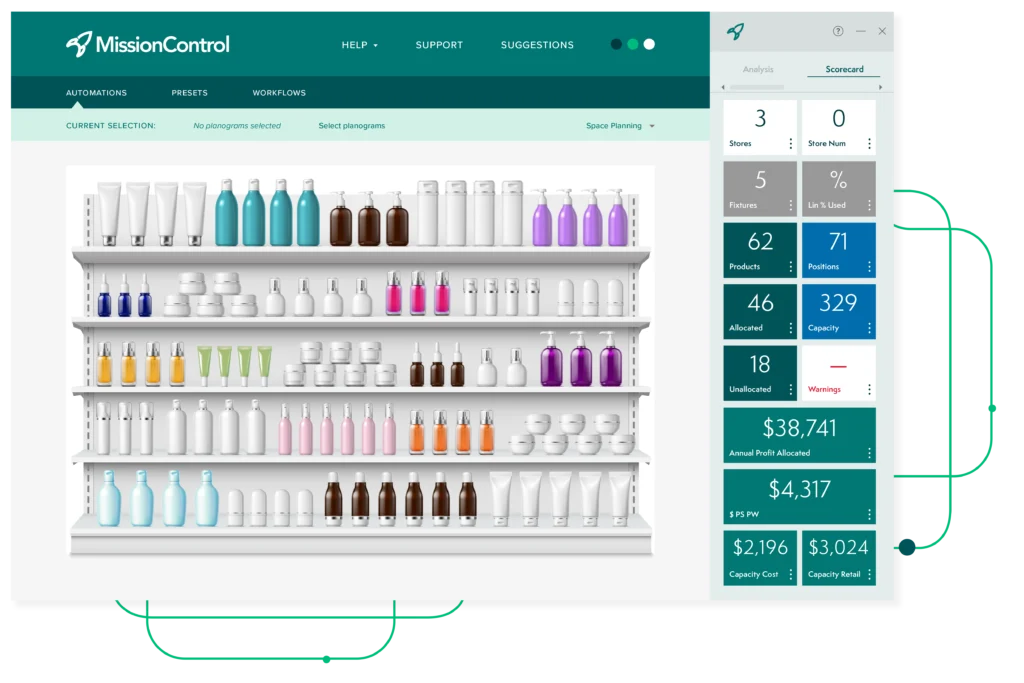
Execute space plans at scale, from approval to in-store reality
Core capabilities to evaluate
The strongest category management platforms help CPG teams move from fragmented retailer data to decisions they can trust, explain, and act on. That takes more than a dashboard or planning tool. Teams need five connected capabilities: data integration, product attribution, retail analytics, planning workflows, and shelf-level feedback.
Each capability supports the next. If the platform cannot connect the right data sources, teams may struggle to match the same product across retailer, distributor, syndicated, and internal records. If product definitions are inconsistent, reports and recommendations become harder to trust. And if analytics do not connect back to store-level or online execution, teams may not know whether a recommendation actually worked.
Evaluate each capability on its own, then look at how well the full system supports the category management work your team needs to improve.
The five core capabilities to evaluate are retailer data integration, AI Master Data and product attribution, retail analytics, assortment and planogram workflows, and shelf intelligence.
1. Retailer data integration
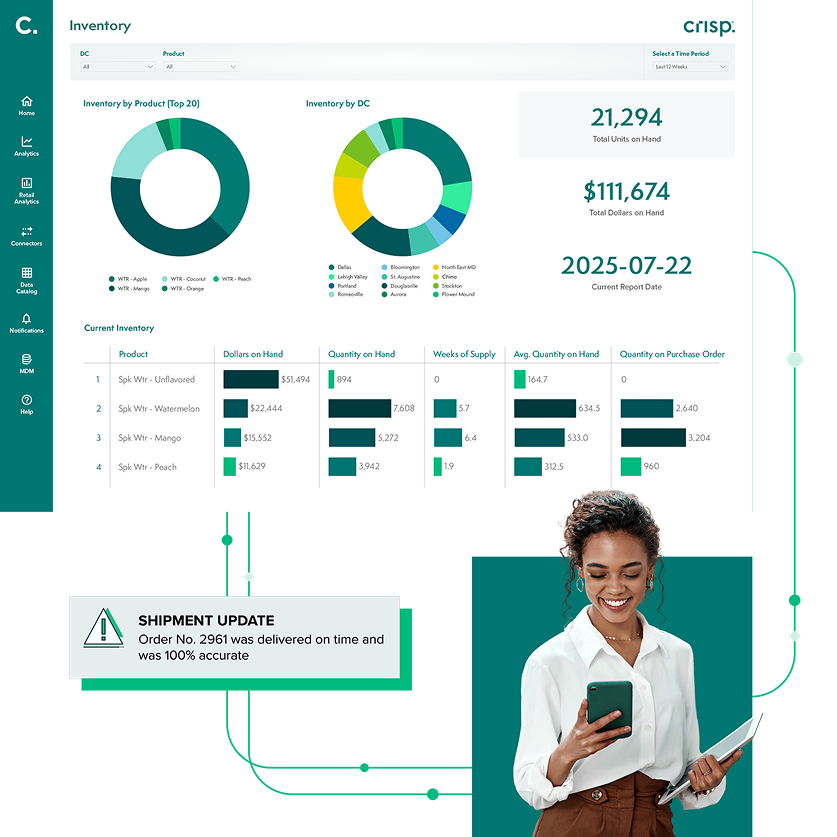
Retailer data integration is the foundation for the rest of the category management workflow. Category teams need current, comparable, analysis-ready data from the sources that shape retail decisions, including POS, inventory, distributor, and internal systems.
Without that foundation, teams may spend more time preparing retailer reports than using them. Late files, inconsistent formats, missing inventory signals, and retailer-specific definitions can slow down category reviews, buyer conversations, and AI-assisted recommendations.
For example, Made By Gather used Crisp to reduce weekly POS data extraction from more than six hours to less than one hour after connecting retailer data from Target, Amazon, and Costco through Snowflake.
What to evaluate:
- Retailer and distributor coverage
- Speed of onboarding new retailer or distributor feeds
- POS, inventory, and availability refresh cadence
- Visibility into late files, missing data, and retailer feed changes
- Ability to use retailer-specific feeds across reporting, planning, and AI-assisted recommendations
Buyer question: Can the platform turn retailer-specific feeds into analysis-ready data the team can use across category, sales, supply chain, ecommerce, and planning workflows?
Late files, inconsistent formats, missing inventory signals, and retailer-specific definitions can slow down category reviews, buyer conversations, and AI-assisted recommendations.
2. AI Master Data and product attribution
Product attribution means recognizing when the same item appears differently across retailer item IDs, UPCs, syndicated records, distributor data, or internal product definitions. For category teams, that matching work is not just a data cleanup exercise. It affects how teams compare performance, evaluate assortment, explain trends, and decide where products belong.
If product attribution is wrong, the rest of the workflow becomes harder to trust. A team may understate how fast an item is selling, misread performance across retailers, or recommend the wrong amount of shelf space before anyone realizes the product data is misaligned.
For example, Nature’s Bakery used Crisp’s Master Data Management tool to organize its bar portfolio as it expanded across retailers, helping the team cut time spent on data analysis by 75%.
What to evaluate:
- Product matching across retailer item IDs, UPCs, distributor records, syndicated records, and internal product definitions
- AI-assisted suggestions for matches, classifications, and attributes
- Human review workflows to approve, reject, or adjust AI-suggested changes
- Version history, permissions, and rollback
- Whether product definitions stay consistent across reporting, planning, and recommendations
Buyer question: Does product data become more useful for category decisions, not just cleaner in a database?
If product attribution is wrong, the rest of the workflow becomes harder to trust.
3. Analytics that explain what changed and why
Dashboards can show that performance changed. Category teams also need to understand what drove the change and what to do next. A sales decline could indicate distribution loss, inventory gaps, pricing changes, promotion timing, assortment shifts, or store-level execution problems. Without that context, teams may know there’s a problem but still struggle to explain it or act on it.
Strong retail analytics should connect performance changes to the underlying data, so teams can move from “what happened?” to “why did it happen?” and “what should we do next?”
For example, Danone used daily Crisp SKUtrak data and stronger master data management to create a unified data model for Revenue Growth Management. That helped commercial, finance, and category teams move from disconnected reporting to clearer ROI, more accurate KPIs, faster planning, and better decisions.
What to evaluate:
- Visibility into the inputs behind each recommendation or explanation
- Drill-down by store, SKU, region, retailer, channel, or product attribute
- Ability to distinguish between distribution loss, inventory gaps, demand shifts, pricing, promotion, and assortment changes
- Connection between analytics and the next recommended action
Buyer question: Can the team trust the “why” behind a performance change because the data and drivers line up?
Strong retail analytics should connect performance changes to the underlying data, so teams can move from “what happened?” to “why did it happen?” and “what should we do next?”
4. Assortment, space, and planogram workflows
A category management platform should help teams turn performance insights into decisions about which products to carry, where they belong, and how much space they should receive. Strong assortment and space-planning workflows connect product performance, inventory, store clustering, rate of sale, and planogram inputs, so teams can make those decisions using the same definitions used in reporting and analytics.
A recommendation is only useful if the team can turn it into action. If analytics, product definitions, and planning workflows do not align, teams may have to manually rebuild insights before using them in an assortment review.
For example, J.M. Smucker used Crisp to analyze store-level performance, guide product placement, support precise planogram planning, and tailor inventory and assortment decisions to regional demand in Target’s pet aisle.
What to evaluate:
- Assortment recommendations for distribution gaps and store-level opportunities
- Space planning inputs such as sales, inventory, rate of sale, and store clusters
- Whether planning uses the same product definitions established earlier in the workflow
- Whether recommendations can move into planogram or shelf-ready workflows without manual rework
Buyer question: Can recommendations move from analysis to shelf-ready action without requiring teams to manually translate insights into planning workflows?
If analytics, product definitions, and planning workflows do not align, teams may have to manually rebuild insights before using them in an assortment review.
5. Shelf intelligence and store-level feedback
A category plan does not help the business unless stores and online channels actually implement it. Category management software should connect shelf strategy, execution, and measurement so teams can see whether assortment changes, resets, promotions, and availability improvements are actually reflected on shelves by retailer, region, store, product group, or SKU.
Store-level feedback helps teams close the loop between the plan and the result. Without it, a category team may know that sales changed, but not whether the change was due to demand, inventory, execution, substitution, fulfillment, or a planogram issue.
For example, the Crossmark team managing The Clorox Company uses UNFI Insights powered by Crisp to track sales momentum, flag distribution gaps, validate DC- and store-level execution, and prepare for retailer business reviews with cleaner, more reliable data.
Execution feedback is important online, too. A product may appear in stock in a report, but shoppers may still be unable to buy it if digital purchasability breaks down through inaccurate availability, fulfillment issues, substitutions, short picks, or canceled orders.
Category, supply chain, and ecommerce teams need one shared view of inventory and product data, so a fix on the shelf does not create a new problem online.
What to evaluate:
- Product availability by retailer, region, store, product group, or SKU
- Store-level confirmation that resets and assortment changes were carried out
- Flow of substitutions, short picks, and fulfillment adjustments into category-level reporting, not just operations tickets
- Use of shelf feed
Buyer question: Does the software help close the loop between the plan, what happened in stores and online, and the next category decision?
A product may appear in stock in a report, but shoppers may still be unable to buy it if digital purchasability breaks down through inaccurate availability, fulfillment issues, substitutions, short picks, or canceled orders.
Governed AI Agents for category management
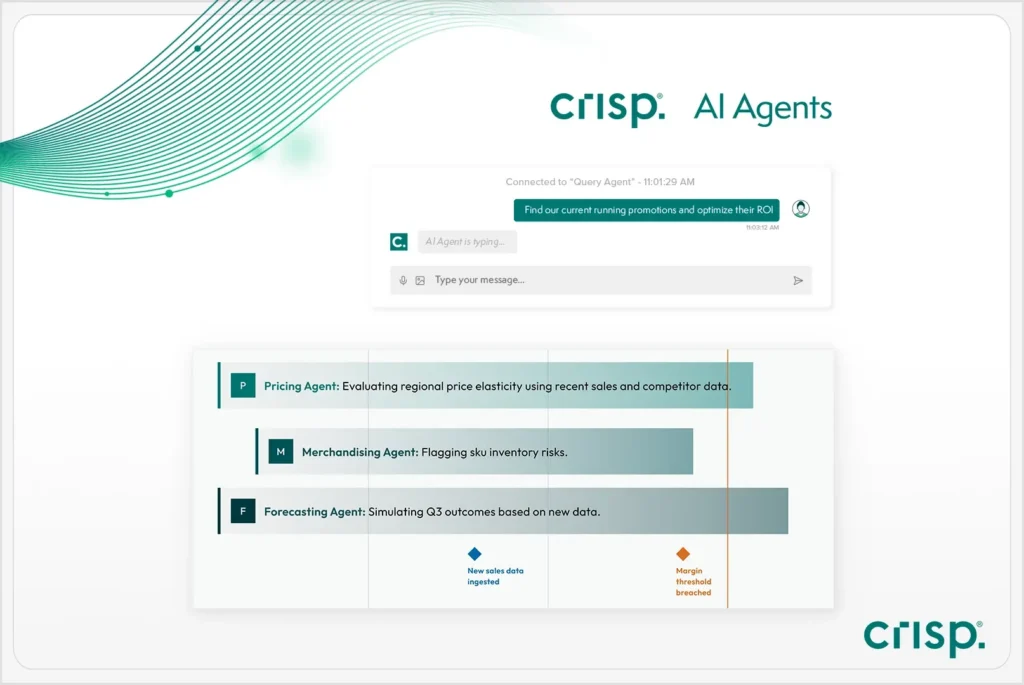
AI Agents are not a sixth capability to check off the list. They are a layer that depends on the five capabilities above. An agent’s recommendation is only as trustworthy as the retailer data, product attribution, analytics, planning inputs, and shelf signals behind it.
For buyers, the question is not just whether a vendor offers AI Agents, but whether the team has traceable AI reasoning for retail decisions so they can understand, review, and defend the recommendations those agents make.
Crisp AI Agents ingest daily planogram, POS, and inventory signals, then surface recommendations along with the data points that explain why the recommendation was made. For example, Avery Autrey, Senior Distribution Manager at Kraft Heinz Away From Home, used Crisp AI Agents to identify a risk of 6,200 cases, or $300,000 monthly, across five SKUs.
The test to apply: Can users see which data sources and business rules shaped a recommendation? Can a human review, approve, reject, or adjust it before action is taken? Are permissions and audit history in place? If a vendor cannot answer those questions clearly, the agent’s output will be hard to defend in a buyer conversation, no matter how confident it sounds.
AI Agents are not a sixth capability to check off the list. They are a layer that depends on the five capabilities above.
Does category management software replace existing tools?
Not always. Many CPG teams already have tools they trust, such as syndicated data providers, BI dashboards, cloud data warehouses, ERP systems, and planogram software. The goal isn’t necessarily to replace all of them.
The better question is where the workflow breaks down today. A team may have strong syndicated data but still struggle to connect it to retailer POS and inventory. Another may have a planogram tool that works well, but inconsistent product definitions are feeding the planning process. Another may have dashboards that report performance, but no easy way to connect the change to inventory, availability, assortment, or shelf execution.
From there, teams can decide what to keep, what manual work to reduce, and where better connections are needed, so category decisions are not spread across several disconnected tools and reports.
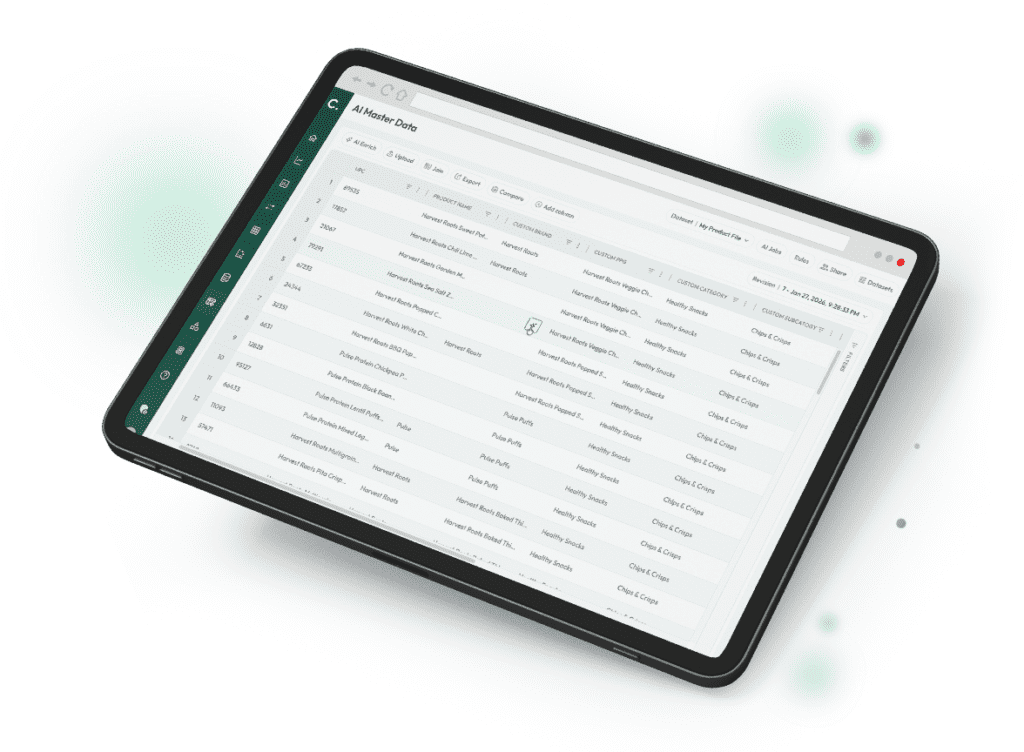
Experience Crisp AI Master Data for CPG and Retail
How to evaluate vendors in a technology demo
The right question in a demo surfaces more than the pitch does. Use this table to know what to ask and what a specific, credible answer sounds like. When evaluating vendors, ask questions that reveal whether the platform can handle real retailer data, explain recommendations, govern AI-assisted workflows, and connect planning decisions to store-level execution.
| Vendor claim | What to ask | What to listen for |
| “We explain why performance changed.” | Which data sources does the explanation use? | Retailer POS, inventory, product attribution, and promotions, not just one dashboard view. |
| “We use AI.” | Can users see the data and logic behind the recommendation? | Watch for AI that produces a narrative without showing how it was reached. |
| “Our data is AI-ready.” | Can you show a case where the same product had conflicting classifications across two retailer feeds? What happened? | A specific detection-and-resolution workflow, not just “our data is clean.” Vague reassurance is a sign the data is analysis-ready, not AI-ready. |
| “We harmonize data.” | How are item IDs and attributes matched and governed? | Listen for ongoing retail MDM software capabilities such as product attribution, governance, review workflows, and consistent product definitions, not just one-time cleanup. |
| “We support category planning.” | Does the recommendation connect to space and store-level execution? | Watch for planning tools that do not connect back to execution feedback. |
| “We improve speed.” | Which pilot KPIs prove that speed improved? | Reduced data prep time, better match rates, or faster issue detection. |
| “We support governed recommendations.” | What approvals, permissions, and rollback options are available? | Recommendations that can be traced and defended, not just generated quickly. |
Which pilot KPIs demonstrate that the software is working?
A pilot is easier to measure when it focuses on one workflow with a clear before-and-after result. That could mean reducing manual retailer data prep, improving product attribution for a priority retailer, or moving from issue detection to a buyer-ready recommendation faster. The table below shows common pilot KPIs and what each one helps prove during the evaluation.
| Pilot KPI | What it helps measure |
| Time spent preparing retailer data | Whether the platform reduces manual data work. |
| Product match rates | Whether product attribution improves across retailers and sources. |
| Attribute completeness | Whether products have the details needed for assortment, planning, and AI recommendations. |
| On-shelf availability (OSA) | Whether teams can identify and address availability issues faster. |
| Time from issue detection to recommendation | Whether teams can move from signal to action faster. |
| Recommendations reviewed, accepted, or rejected | Whether AI-assisted recommendations are useful and trusted. |
| Recommendation explainability | Whether teams can understand the logic behind AI-generated recommendations. |
| Adoption across teams | Whether sales, category, supply chain, and planning teams use the platform in daily work. |
Set the baseline before the pilot starts. Teams that go in with a clear “before” number – hours per week on manual reporting, current match rate, current on-shelf availability – get a far more credible pilot result than teams that measure improvement anecdotally after the fact.
How should CPG teams plan for implementation and adoption?
A strong pilot can prove that the software improves a specific workflow. Implementation planning answers the next question: how will that improvement become part of daily work across category, sales, supply chain, ecommerce, and planning?
Start by deciding who owns the data and who owns the decisions. Product attribution, retailer feed changes, item matching, hierarchy updates, and AI-assisted recommendations all need clear review paths. Without that ownership, teams can end up with better dashboards but the same manual debates about which numbers to trust.
Implementation planning should clarify:
- Who owns data quality and product attribution as retailer data changes
- Who reviews and approves AI-assisted recommendations before they affect buyer conversations, orders, or shelf decisions
- How retailer feed issues, late files, missing data, or exceptions are handled
- Which teams will use the platform day to day
- How insights move into sales planning, category reviews, supply chain action, ecommerce fixes, or planogram updates
- Which metrics the team will review regularly after the pilot ends
Teams should also decide when to review what is working. For example, they might review product attribution weekly during rollout, check usage and recommendation quality every two weeks, and use monthly business reviews to decide which retailers, categories, or workflows the platform should support.
The goal is to make the improved process repeatable, with less manual work and fewer handoffs between teams.
6 mistakes to avoid when choosing category management software
A category management software evaluation can look strong in a demo and still fall short in daily work. Here are some common mistakes that can undermine your evaluation.
- Choosing dashboards before fixing product attribution
Dashboards are only useful if the product data behind them is consistent. If products are not matched and classified correctly across retailer item IDs, UPCs, syndicated records, distributor data, and internal definitions, reports and recommendations can point teams in the wrong direction. - Evaluating AI without asking how recommendations are governed
AI-generated recommendations are hard to defend if users cannot see the data, logic, assumptions, or approval path behind them. Before trusting an AI-assisted workflow, buyers should confirm how recommendations are reviewed, approved, rejected, adjusted, and audited. - Measuring a pilot without a baseline
A pilot is easier to prove when the team knows what it is trying to improve before the pilot starts. Without a clear before-and-after number, teams may struggle to show whether the software improved speed, trust, visibility, or execution. - Treating the physical and digital shelf as separate workflows
If the software separates physical shelf visibility from digital shelf signals, teams may miss how one channel is affecting the other. - Assuming planogram support means execution feedback is included
A platform may help create shelf plans without showing whether resets or assortment changes actually happened in stores. Buyers should confirm whether the software connects planning decisions to store-level feedback, especially when evaluating planogram automation for retail execution. - Testing only a clean demo scenario
Don’t limit your testing to the vendor’s sample dataset. The strongest evaluations use real examples from your team’s own business: a messy retailer feed, a product that shows up differently across sources, a late inventory file, a planogram change that was not executed correctly, or an AI recommendation the team needs to explain before bringing it to a buyer.
Conclusion
The right category management software depends on where your team loses time, trust, or visibility. One team may need faster access to retailer data. Another may need better product attribution. Another may need to understand why inventory, assortment, or shelf execution changed before the issue reaches a buyer conversation.
A strong evaluation looks past any single dashboard, planning feature, or AI recommendation. It asks whether the software can support the full path from retailer inputs to product attribution, planning, store-level feedback, and governed recommendations.
When those pieces work together, category teams can move faster and bring clearer, more defensible recommendations into buyer conversations.
FAQs about buying category management software
-
What are the most important features of category management software?
When evaluating vendors, ask questions that reveal whether the platform can handle real retailer data, explain recommendations, govern AI-assisted workflows, and connect planning decisions to store-level execution.
-
How long should a pilot run before we trust the platform?
Plan for at least eight to 12 weeks, so the team can see how the software handles promotional activity, inventory movement, retailer data changes, and at least one planning or replenishment cycle. Compare the results against the baseline you set before the pilot, using the same item, store, retailer, and category definitions the vendor would use in production.
-
Can we keep our current planogram tool and only fix the data first?
Sometimes. If the current planogram tool works, the bigger issue may be the data feeding it. A new planning interface will not help much if product attribution, inventory signals, and retailer data stay inconsistent. If you keep the planogram tool, make sure it’s still pulling space calculations from the same product data used in reporting./
-
How do we adopt AI without turning on automation we cannot explain?
Start with read-only recommendations. Users should be able to see the data, logic, assumptions, and confidence signals behind each recommendation before anything affects buyer conversations, orders, or shelf decisions. Track which recommendations users accept, reject, or adjust before expanding AI-assisted workflows
-
What is the highest hidden cost in implementation?
The highest hidden cost is usually data reconciliation, which was treated as setup rather than a real workstream. Before implementation begins, ask what data the vendor needs, who will review product matches, how exceptions will be handled, and how match rates will be measured. That gives the team a clearer picture of the effort required before category strategy depends on the new foundation
Get insights from your retail data
Crisp connects, normalizes, and analyzes disparate retail data sources, providing CPG brands with up-to-date, actionable insights to grow their business.